Potential Liberation
Potential Liberation (often called "Pots") is the system used to upgrade a costume's performance and a character's stats.
 Costume Bonds
Beforehand, you must understand Bonds.
- Each character can "Bond" with one specific costume at a time.
- The character gains additional stats based on the Potential Liberation progress of that specific bonded costume.
How to switch bonds?
Go to the Character screen and click the costume portrait on the right side.
Image Guide
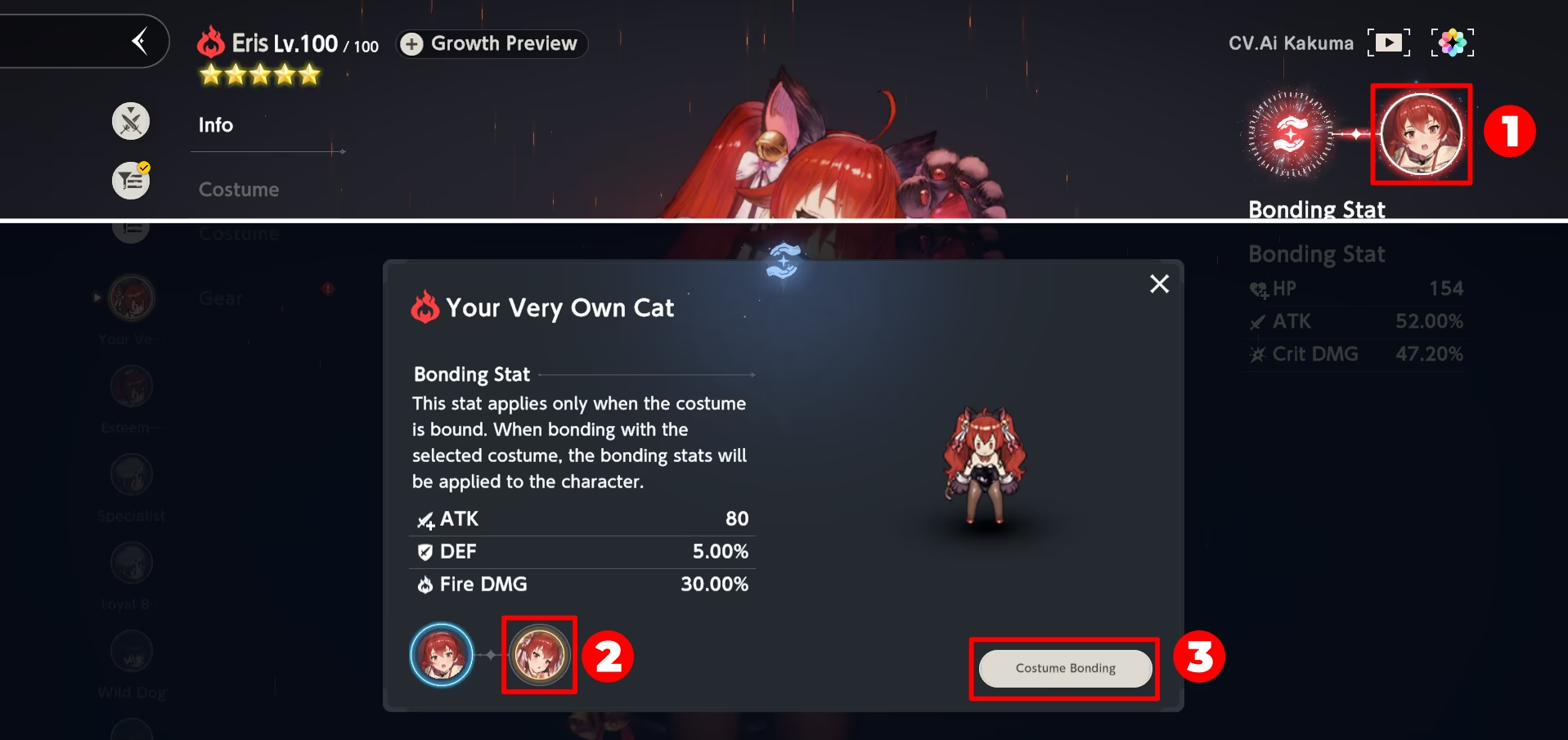
How to choose a bond?
It is important to choose a proper bond.
- If you are new, use the bond with the most potential liberation done.
- If you are not new, you should choose depending on the enemy.
- In general content, you tend to use the same DPS, which means a lot of off-element fights. For that reason, you usually target bonds with no Property (Water, Light, etc) DMG Increase.
- In property content (Fiend Hunter, Guild Raid), you need to understand the buffs occurring in a fight. For some fights with no extra Property DMG Increase from the boss itself, it may be worth picking a bond with Property DMG Increase.
However, if the boss offers additional buffs or you have a lot of external buffs from supports, it may be worth picking a "general" bond instead. - For defensive/support bonds, pick depending on the damage type you are facing.
Of course, there are rare exceptions to this generalized advice, and you can always rely on different guides or calculator in case you are not sure.
 Liberation Nodes
To access this menu, select the desired costume in the Costume tab and press Upgrade in the bottom right.
Image Guide
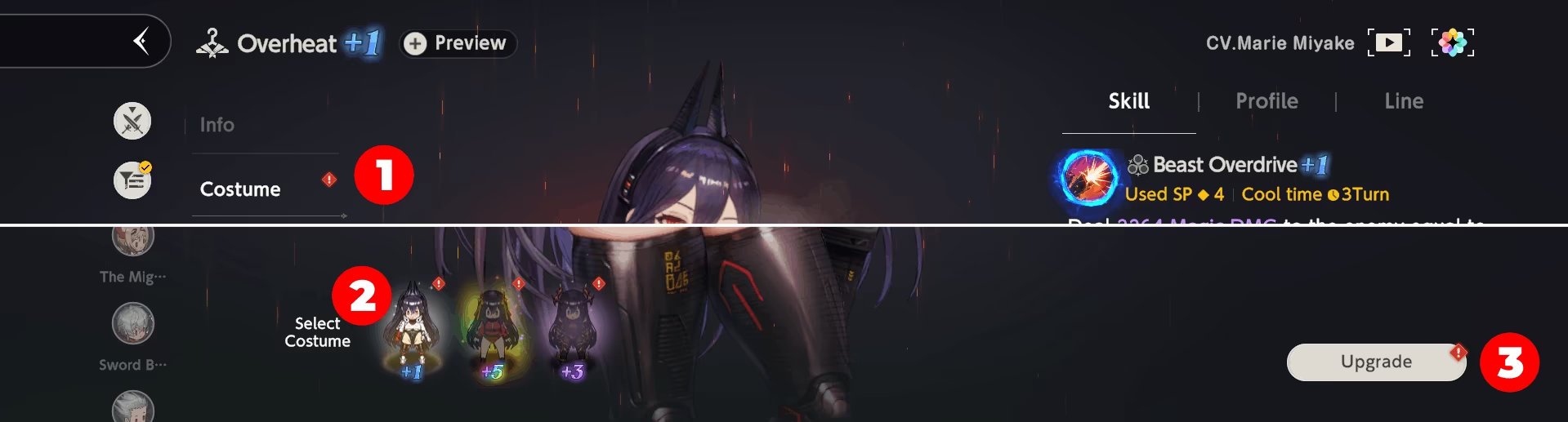
Potential Liberation Menu Image
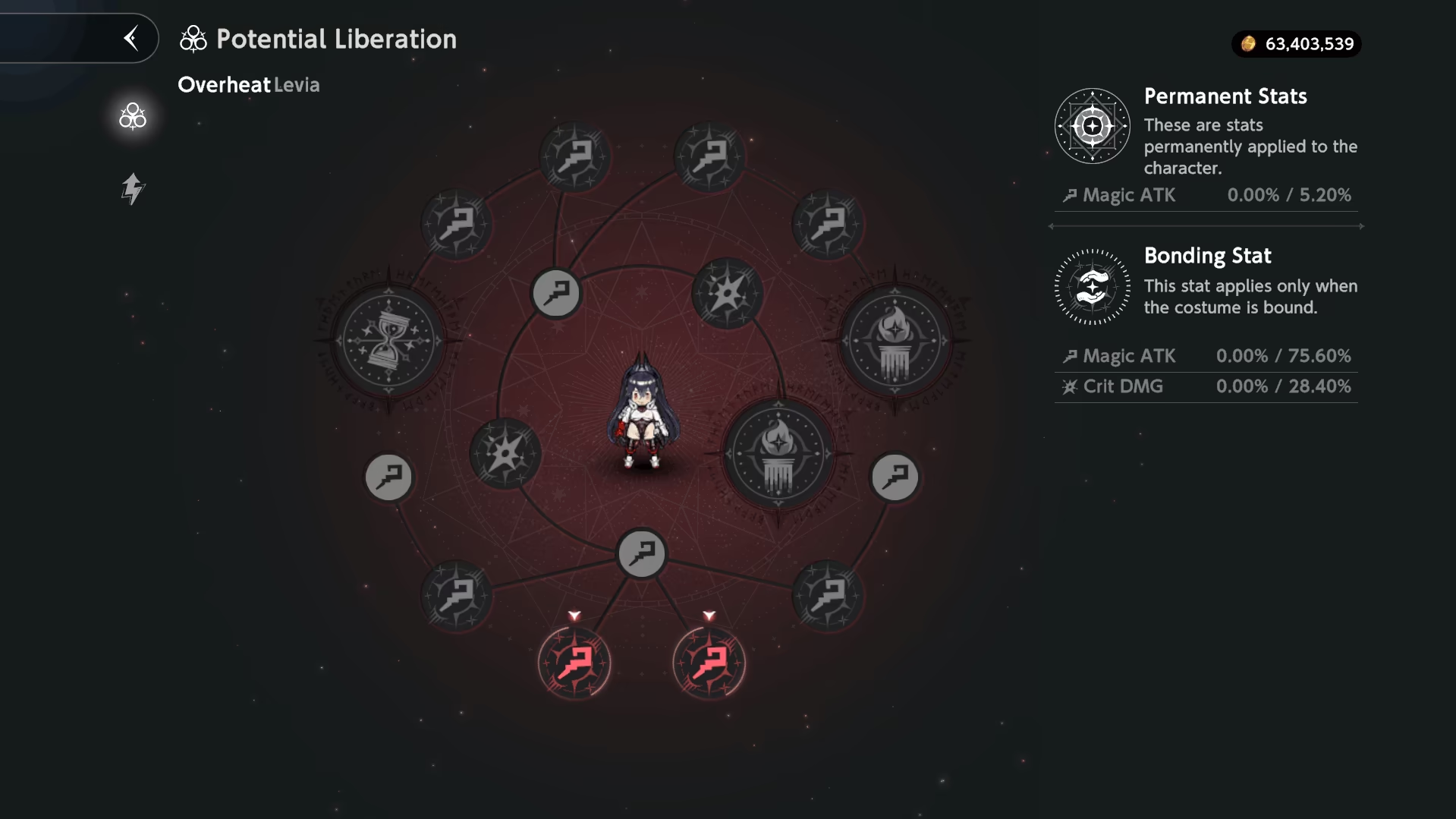
There are three types of nodes:

1. Small Nodes (Permanent)
- Effect: Upgrades the character's Base Stats.
- Condition: Active permanently, regardless of which costume is bonded.
- Cost:
- 30K

- 50 Elemental Crystals
- 30K
2. Medium Nodes (Bond-Dependent)
- Effect: Grants significant stat boosts.
- Condition: Active ONLY when this specific costume is Bonded.
- Cost:
- 20 ~ 40K
- 0 ~ 350 Elemental Crystals
- 20 ~ 40K
3. Large Nodes (Skill Upgrades)
- Effect: Directly enhances the skill (e.g., -1 SP Cost, + Range, + Damage %).
- Cost:
- 500 Elemental Crystals
- 1
 Tear of Goddess.
Bulk Liberate
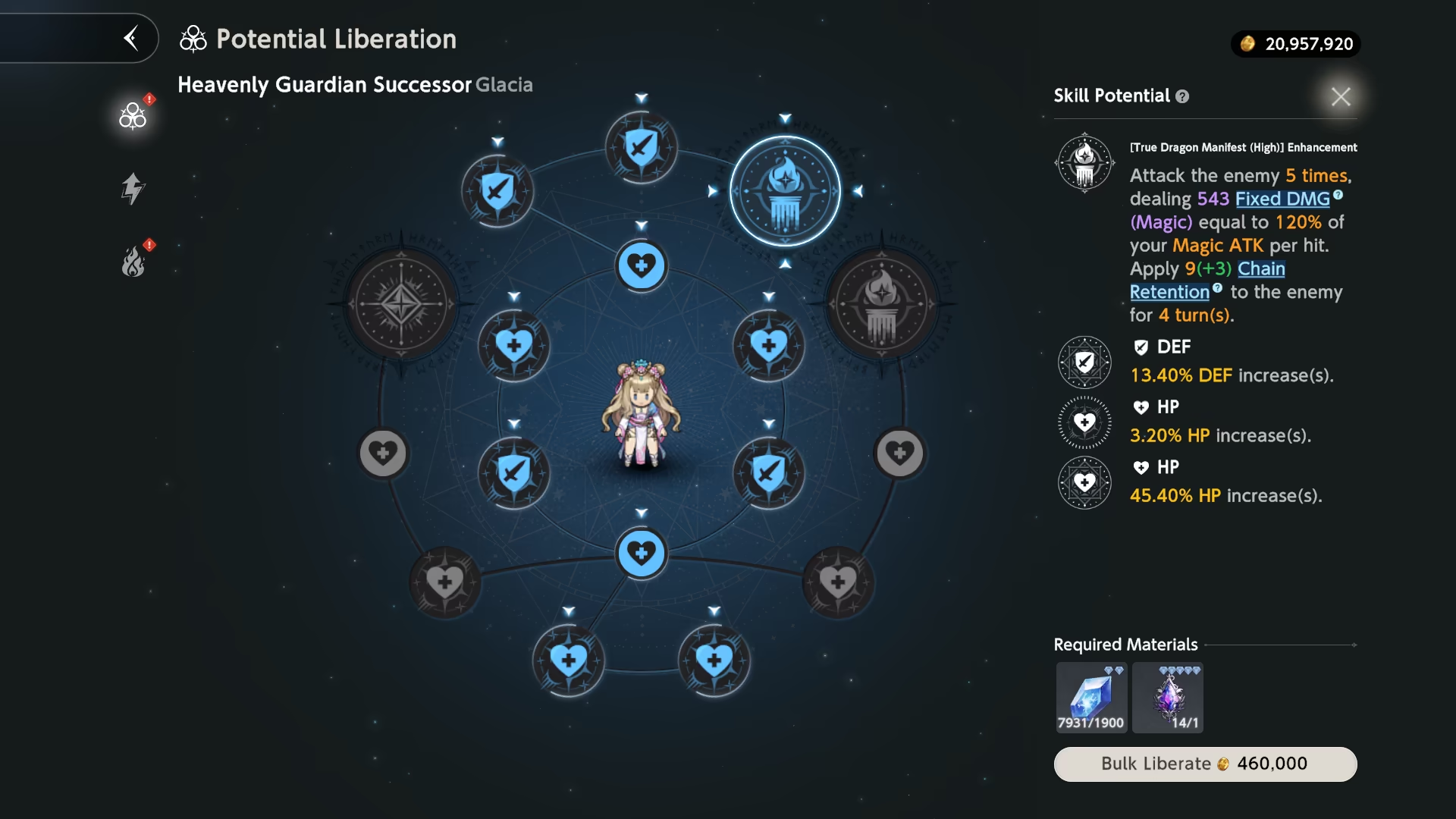
To save time, you can upgrade part of the tree or even the whole Potential Liberation with only a few clicks.
To upgrade a full tree, press Bulk Liberate in the bottom right corner. To upgrade the tree partially, select the node you want before pressing the same button. All nodes before the chosen one will be upgraded automatically.
Image Guide

Bulk Liberation
Toggle Potential
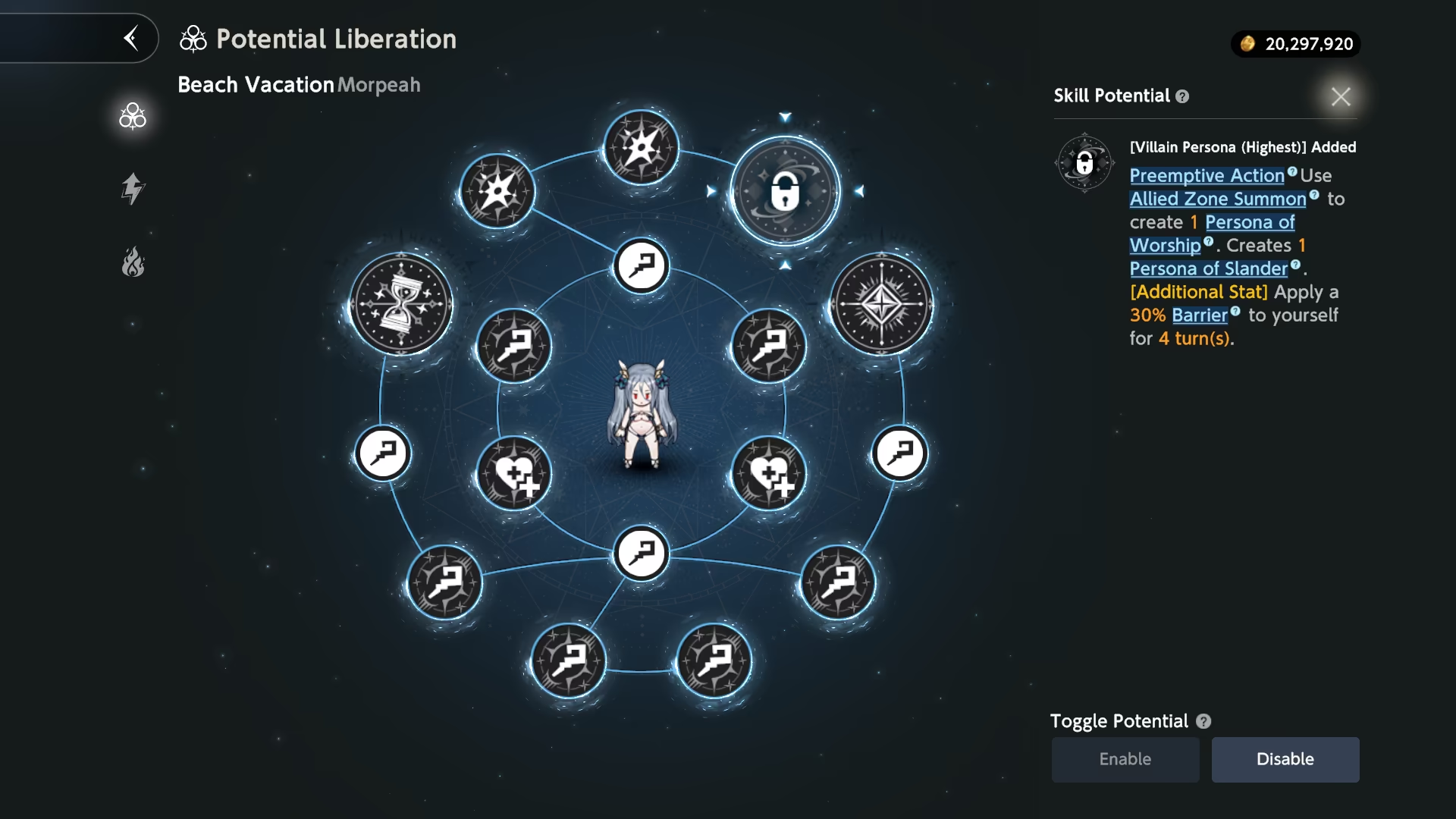
You can disable upgraded Potentials (Large Nodes). Disabled Potentials will not take effect during battles.
To do it, press the desired Potential and press the Disable button in the bottom right corner. To revert the changes, repeat the same process, pressing the Enable button instead.
A disabled Potential will have a lock icon, indicating it is not used at the moment.
Disabled Potential
Important
Toggle Potential feature is not applicable in Tower of Salvation, Mirror Wars, Last Night and Golden Colosseum.
It is designed to avoid incidents where additional effects such as Barrier may actually harm the Character instead of helping.
Liberation Priority
Warning
Potential Liberation cannot be undone. Tears of Goddess are a limited resource, so spend them wisely.
TL;DR Priority List:
-
Buffers: SP Cost Reduction, Cooldown Reduction are the highest priority, followed by Duration Increase, AoE Expansion and regular Buff Increases.
-
DPS: "Quality of Life" upgrades first (SP Cost Reduction, Cooldown Reduction, AoE Expansion). Do not target Damage nodes until you are done with most supports.
For a detailed priority list, check out Cymmina's Potential Guide.
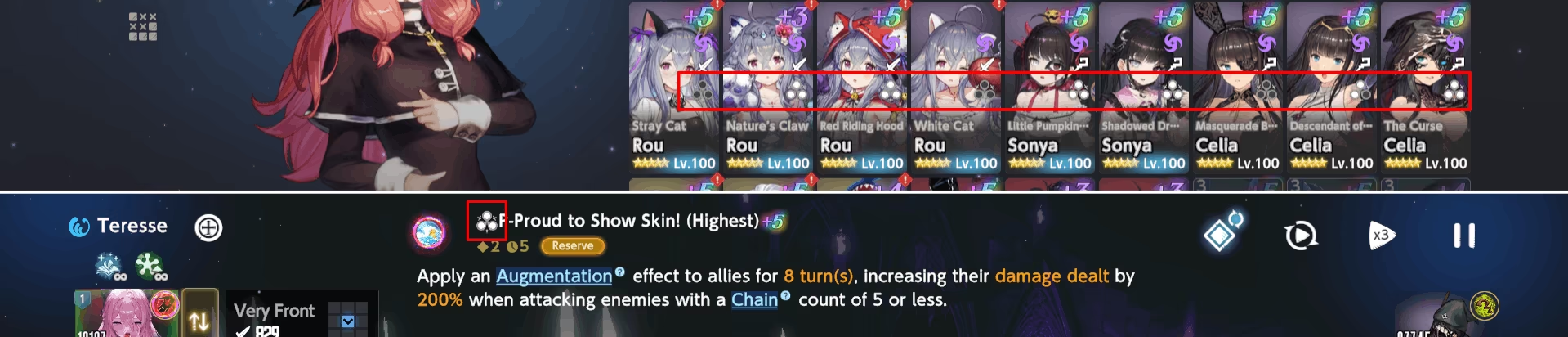
QoL Thing You Should Know #1
You do not need to check every costume to check their Potential Liberation Status. Instead, you can check them freely in the Companion Tab or during Battle, when selecting the costume.
Image Guide
QoL Thing You Should Know #2
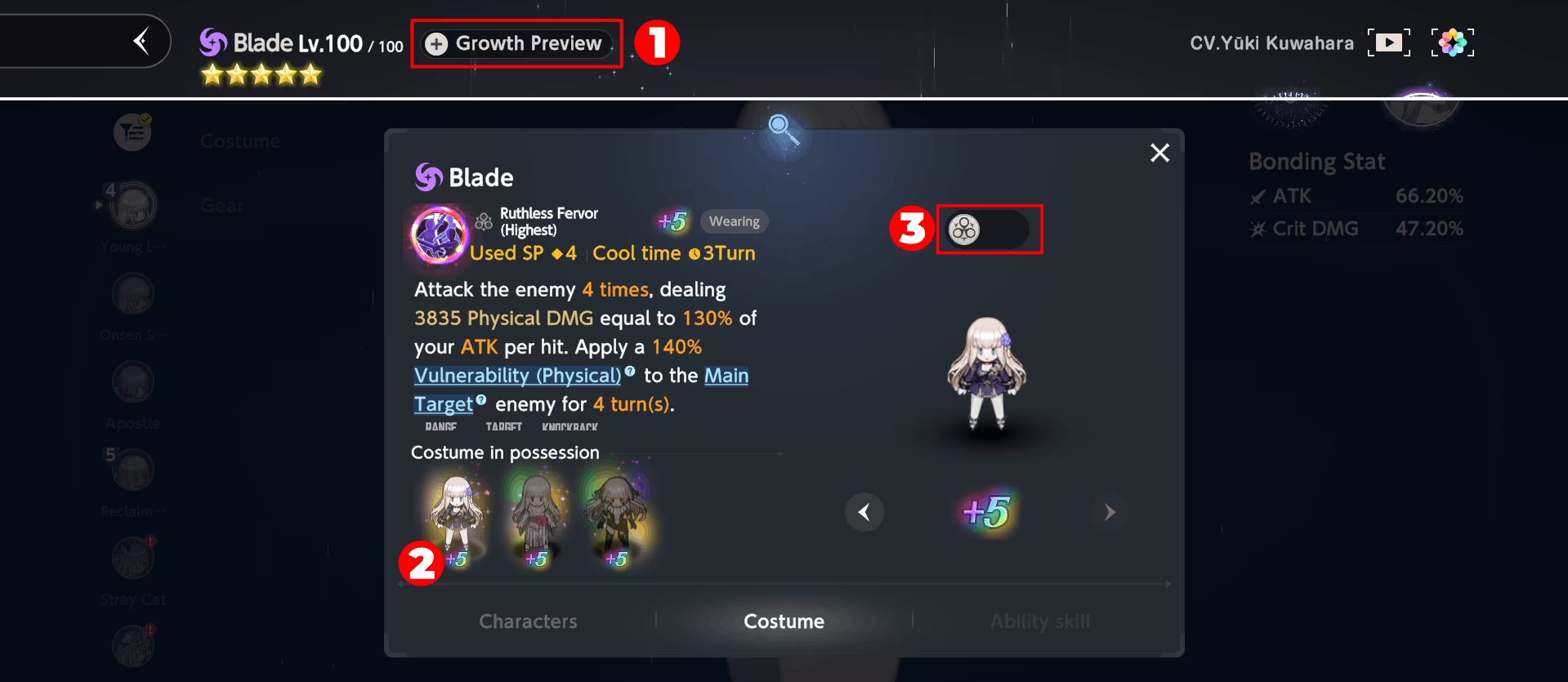
You can also check the effect of all Potential Liberation Nodes at once. For that, go to the Growth Preview Tab, select the desired costume, and press the switch on the right.
Image Guide